Install RowRocket on Slack
Automate Google Sheets updates to your Slack channels in seconds.
How to Install RowRocket on Slack
-
Sign in to your RowRocket account or create a new one. If you don’t have an account yet,
start for free.
-
Create or select a RowRocket workspace. You will be prompted to create a new workspace, or choose an existing one if your group already has one.
-
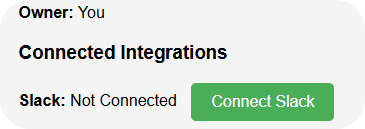
As a workspace admin, navigate to the Workspace tab in the header and click the Connect Slack button.
-
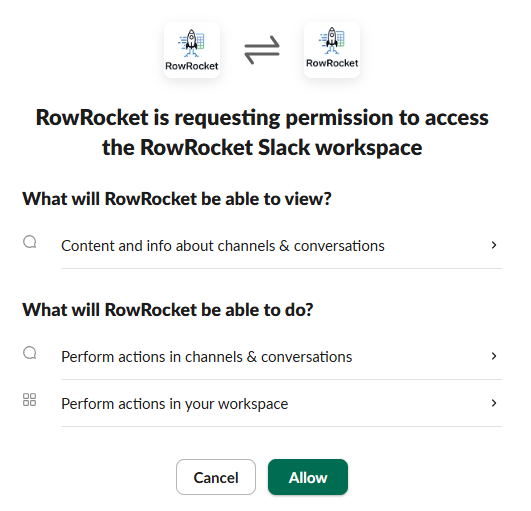
You’ll be redirected to Slack’s OAuth page. Review the permissions and click "Allow" to authorize RowRocket to post on your behalf.
-
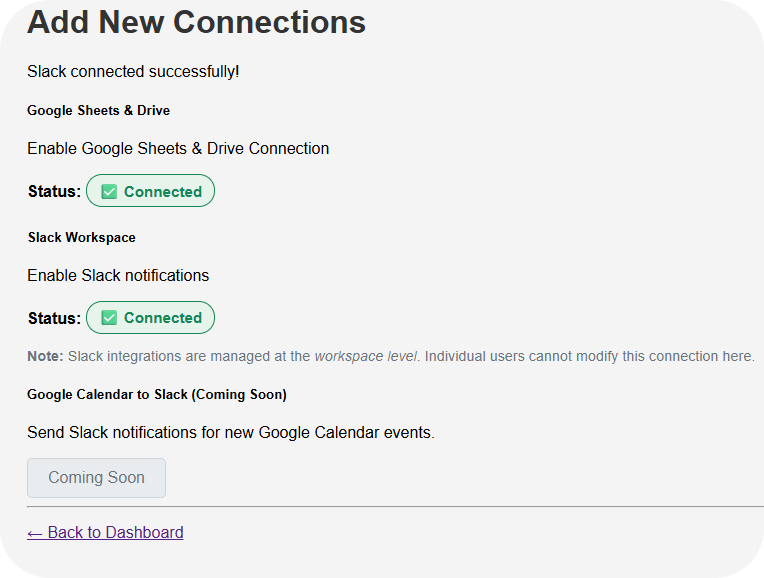
After granting permissions, you’ll automatically return to RowRocket. Confirm the integration on the Configure Connections tab, where you should see “Slack: Connected.”
-
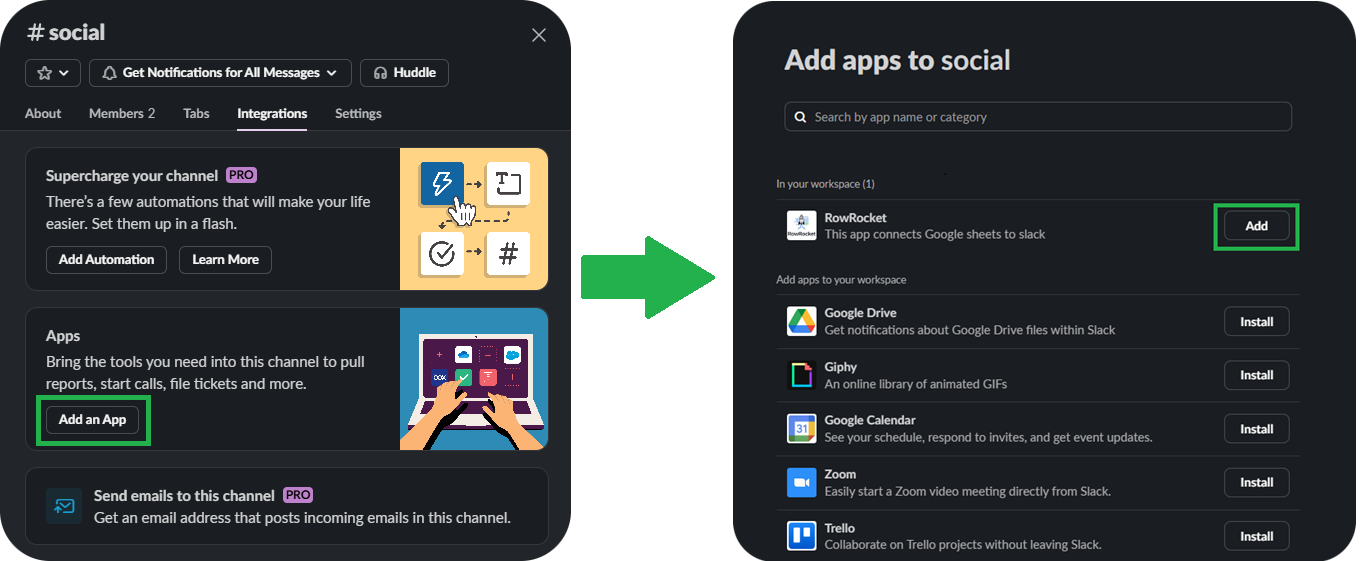
Add RowRocket to any private Slack channel where you want it to post by typing `/invite @RowRocket` and hitting Enter.
Or add them from the "Edit Settings" menu in the channel sidebar.
-
You're All Set!
Now that RowRocket is connected to Slack, it's time to set up your first automation.
Start for free
Need help getting started? Visit our support page.