
Intelligent Google Sheets Notifications, Launched to Slack
Tired of manual checks and noisy alerts? RowRocket sends smart, conditional notifications from your spreadsheets to the right people at the right time.
Go Beyond Simple Notifications
Stop drowning in alerts. With RowRocket's powerful conditional rules, you can filter out the noise and send highly targeted, relevant messages to your team.
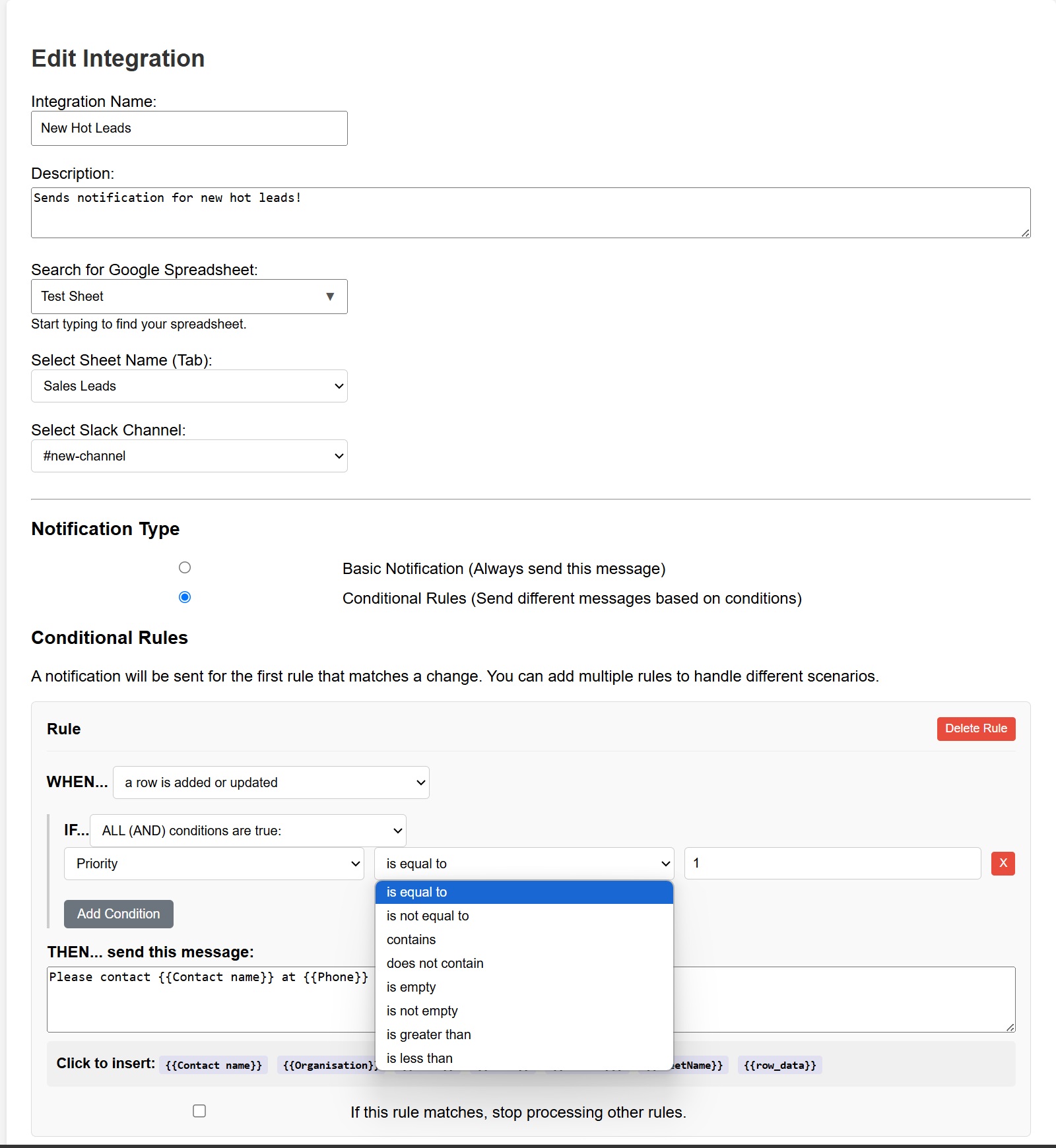
- Filter Out the Noise: Get alerts only for hot leads, low inventory, or urgent tasks.
- Target the Right People: Send different alerts to different Slack channels or users automatically.
- Craft Dynamic Messages: Pull data from any column directly into your Slack message for rich context.
- Build Custom Workflows: Create simple or complex rules to match your team's exact needs.
From Rows to Actionable Alerts
See how teams use RowRocket to automate their workflows.
Sales Leads
WHEN... a new row is added
IF... 'Status' is equal to 'Hot'
THEN... send "🚀 New Hot Lead!..." to #sales
Inventory Management
WHEN... a row is updated
IF... 'Stock' is less than 10
THEN... send "⚠️ Low Stock Alert!..." to #logistics
Project Management
WHEN... a row is added
IF... 'Priority' is equal to 'Urgent'
THEN... send "‼️ New Urgent Task!..." to @user
Core Features
Explore the powerful tools that make RowRocket the smartest way to send alerts.
Launch Alerts
Launch near real-time notifications from your spreadsheet rows directly to Slack.
Customizable Messages
Craft personalized Slack messages using data directly from your spreadsheet columns.
Select Specific Sheets
Easily choose any spreadsheet and sheet (tab) from your Google Drive to monitor.
Simple Controls
Enable or disable any of your integrations with a single click from your dashboard.